Burning Bridges AI With Friends: Add Up to 3 People to the Party (2026)
Put your friends next to you in the Burning Bridges AI video. One photo for you, up to 3 friend photos, no extra credits, 15 or 28 seconds. Which photos work, what to expect, and when a friend may not show.
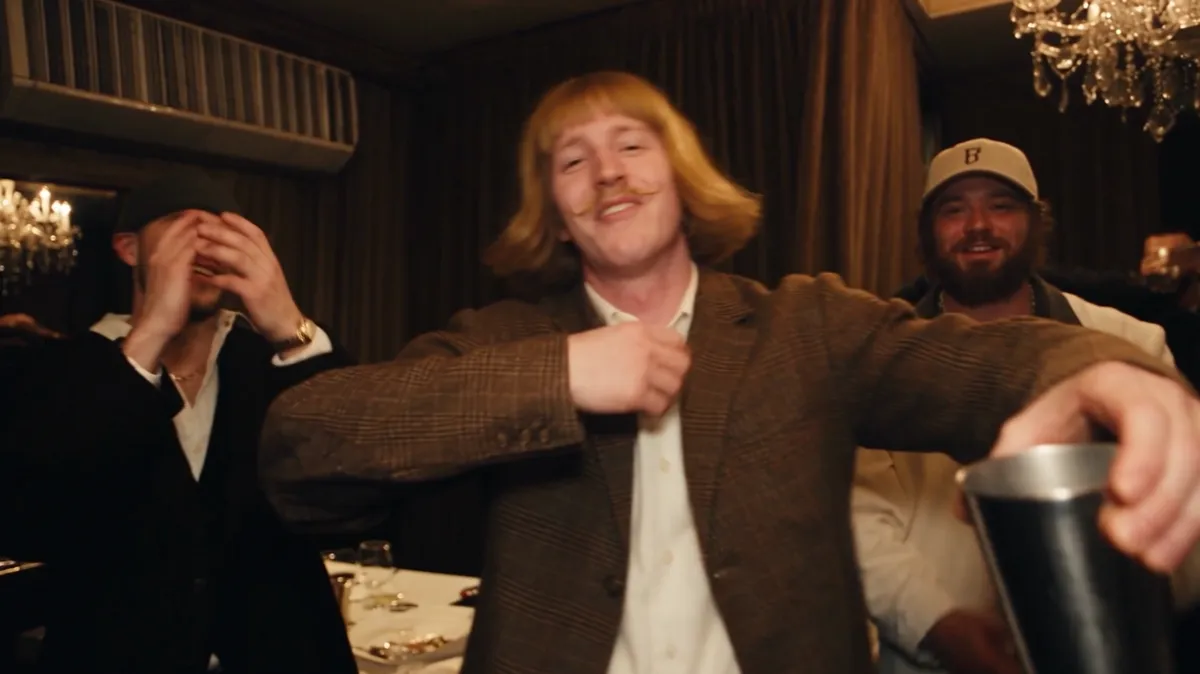
You can put up to 3 friends into your Burning Bridges AI video: upload one photo of yourself as the lead, then add one photo per friend under More options in the generator. Friends cost no extra credits. A 15-second video uses 100 credits and the full 28 seconds uses 300, at 480p. Each friend replaces one of the people who stand closest to the lead, so they dance, point and raise cups next to you.
How many friends can I add?
Up to 3. That makes four people from your photos in one video: you in the lead and three friends around you.
We started with a limit of 5 and lowered it after testing. With four or five friends, the AI often dropped one person or merged two people who looked alike. With three, every friend with a clear photo showed up in our tests. ByteDance's own Seedance prompt guide gives the same warning: past four reference people, results get less stable.
Where do my friends appear?
Each friend takes the place of a specific person in the party scene, in the order you upload them:
| Photo | Who they replace | Where they are |
|---|---|---|
| Friend 1 | The man in the black beanie and jacket | At your left for most of the clip |
| Friend 2 | The bearded man in the cream cap | At your right, often in frame next to you |
| Friend 3 | The man in the open-collar black shirt | Joins the toast at the end |
Put your closest friend first. Friend 1 and Friend 2 get the most screen time.
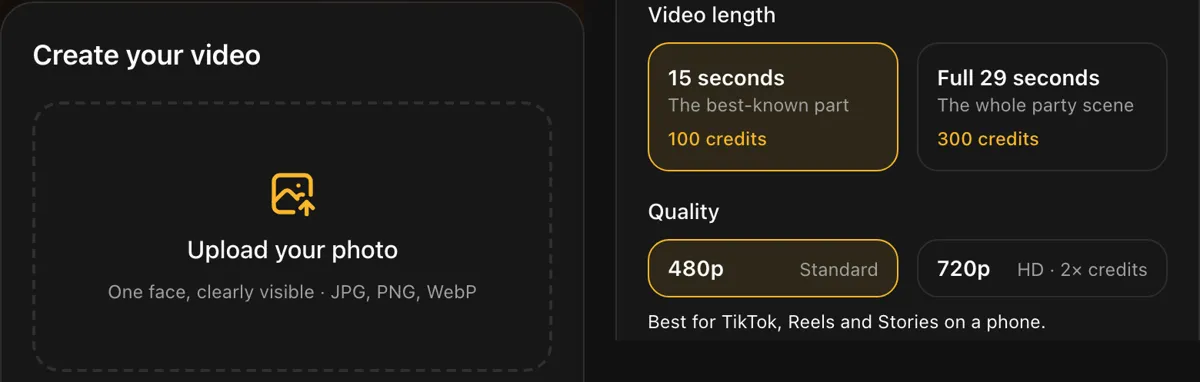 Friends go under More options. The credit cost stays the same no matter how many friends you add.
Which friend photos work best?
The photo decides almost everything. In our tests, friends with a clear photo appeared every time, and the ones who went missing had a problem photo.
A good friend photo has:
- one person in it. Crop a group shot down to the one friend first.
- the face toward the camera and large in the frame. Head and shoulders is ideal.
- no sunglasses. A friend in sunglasses was the one person who never appeared across four of our test runs.
- even light and no heavy beauty filter.
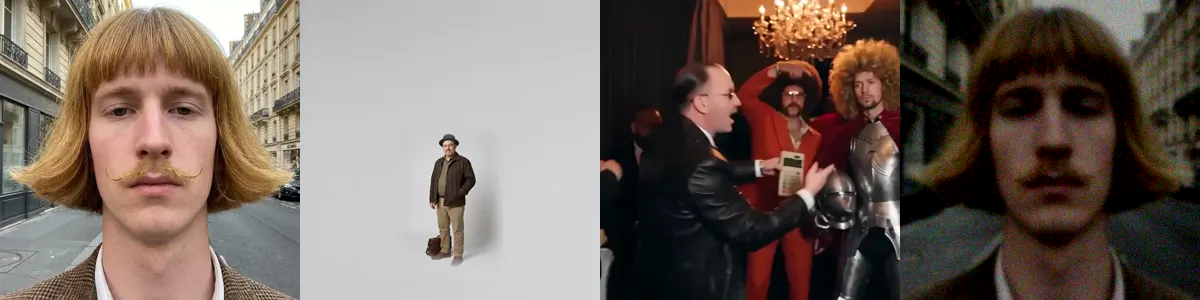 From left: a photo that works, a face that is too small, a group photo, and a dark, blurry shot.
What if my own photo is a group photo?
The video stops before it starts and your credits come back. If the lead photo shows two or more faces, the AI has to guess who the lead is, and you could end up with a friend's face in your spot. So we check the lead photo first. The video shows as failed in My videos with the reason, and the credits return to your balance right away. Upload a photo of just you and try again.
Will every friend look exactly like their photo?
Close, but not always exact. You, the lead, look the most like your photo because the camera stays on you. Friends sit in the crowd, turn, and pass behind other people, so they may only partly resemble their photo. Two friends who look alike can sometimes merge into one person.
Before a video with friends starts, the generator shows a short reminder about this, and you can go back and change photos.
How long does a video with friends take?
The same as a solo video: about 5 to 7 minutes for 15 seconds and 7 to 10 minutes for the full 28 seconds. You can close the page. The video waits in My videos for 30 days.
Who can I add?
Adults who said yes. Our terms require consent from every person in every photo, and photos of anyone under 18 are not allowed. If a photo shows a child, the video stops and your credits come back.
When are friends a poor fit?
Adding friends is not ideal when:
- you only have group photos of them. Crop each friend out first, or skip them.
- two friends look very alike. The AI may merge them. Add one of them.
- you need every face to be perfect. Crowd faces vary from run to run.
Which option should I pick?
- If you want the cleanest result, go solo or add one friend.
- If you want the group-chat version, add up to 3 friends with clear, single-person photos.
- If you want the whole scene, pick the full 28 seconds (300 credits).
- If you post on a phone, 480p is enough. 720p uses 300 credits for 15 seconds and 600 for 28.
FAQ
Do friends cost extra? No. You pay for length and quality only: 100 credits for 15 seconds or 300 for 28 seconds at 480p.
How many friends can I add to a Burning Bridges AI video? Up to 3, one photo each, plus your own photo as the lead.
Can I use a group photo for my friends? Use one person per photo. Crop each friend out of the group shot first, or the AI may pick the wrong person.
Why did one of my friends not show up? Usually the photo: sunglasses, a small or turned face, or other people in the frame. AI video also varies between runs.
Can I add my kids? No. Photos of anyone under 18 are not allowed, and the video stops with your credits returned.
If you only remember one thing
One clear, front-facing, single-person photo per friend, up to 3 friends, and they cost nothing extra.
Ready with your photos? Start your video.
References
- Seedance 2.0 prompt guide, Volcano Engine (ByteDance). Notes on multi-person reference limits.
- Doubao Seedance 2.5 tutorial, Volcano Engine (ByteDance).
- Burning Bridges (Drake song), Wikipedia.
- New labels for disclosing AI-generated content, TikTok Newsroom.
- Disclosing use of GenAI content, YouTube Help.
- Terms of Service, Burning Bridges AI. Consent and age rules.