Can I Use Someone Else's Photo for the Burning Bridges AI Trend? (2026)
Who you can put in a Burning Bridges AI video. Yourself or adults who said yes; no children, no celebrities. Plus whether to label it as AI and how to handle the song when you post.
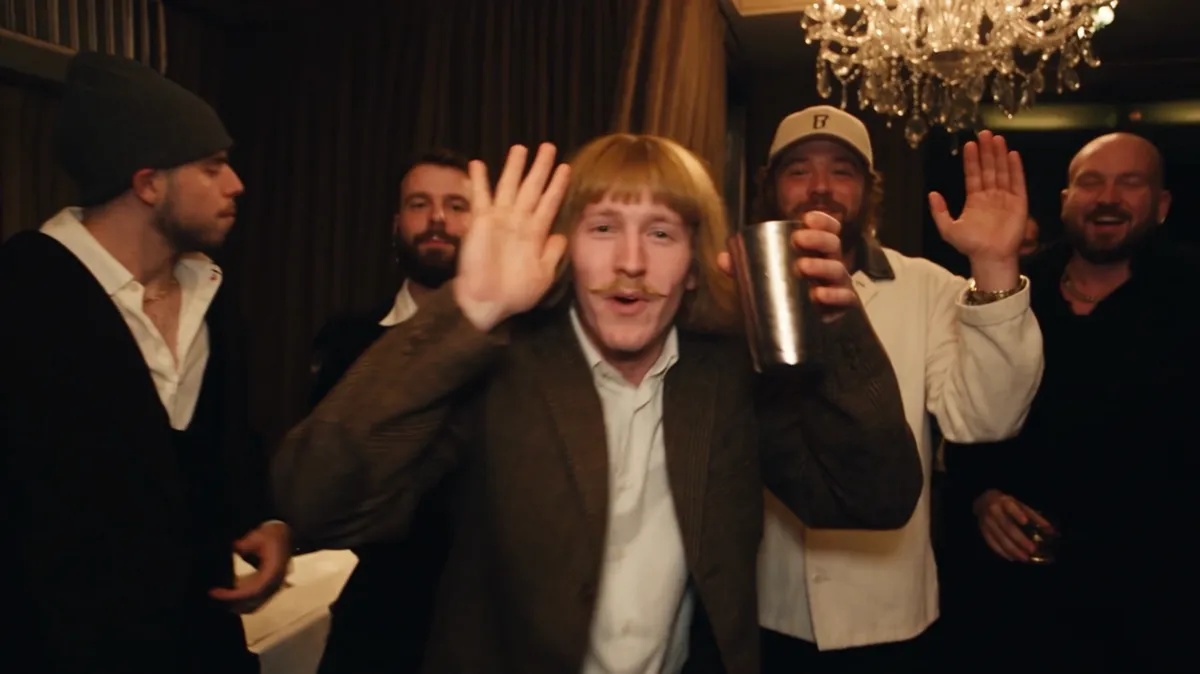
You can use someone else's photo only if that person is an adult and said yes. On Burning Bridges AI the photos must show you or adults who gave permission; photos of anyone under 18, celebrities who did not agree, and sexual content are not allowed. When you post the video, label it as AI-generated, and add the Burning Bridges sound from the TikTok or Instagram music library rather than uploading the song yourself.
Whose photo can I use?
| Photo of | Allowed? | Why |
|---|---|---|
| Yourself | Yes | It is your face |
| An adult friend who said yes | Yes | Consent is the rule |
| An adult who did not agree | No | You need their permission |
| A child or teen under 18 | No | Not allowed, and the video stops before it starts |
| A celebrity | No | They did not agree, and video models refuse many real public figures |
| Your own pet | Yes | Our terms allow your own pets |
These rules are in our terms of service. Before you generate, you confirm that the photos show you or adults who gave permission.
What happens if a photo shows a child?
The video stops and your credits come back. We check every photo before the AI video starts. If one of them shows a child, the video shows as failed in My videos with the reason, and the full credit amount returns to your balance. The party scene is a room full of adults with cups, and children cannot consent to being put in it.
Can I put a celebrity in the video?
No. Celebrities did not agree, and the video model we use refuses inputs that look like real public figures. The viral celebrity versions of the trend were made by fans with other tools; they are not something we offer.
What if my photo is a group photo?
Use a photo of one person. If your own photo shows two or more faces, the AI cannot tell who the lead is, so the video stops before it starts and the credits come back. For friends, crop each person out of the group shot and upload them one at a time, up to 3.
Do I have to label the video as AI?
Yes, on the big platforms. TikTok asks creators to label realistic AI-generated content. YouTube asks for disclosure when AI makes a realistic scene that did not happen. Meta asks the same on Instagram and Facebook. Turn on the AI label when you post.
Can I use the Burning Bridges song?
Add it inside the app. The download is a silent MP4. On TikTok or Instagram, pick the Burning Bridges sound from the music library, which the platforms license for posts on their own apps. If you edit the song into the file yourself and upload it elsewhere, you are responsible for having the rights. See How to add the Burning Bridges sound.
What happens to the photos I upload?
They are used to make your video and kept for 30 days so we can help if something goes wrong, then deleted. Finished videos stay in My videos for 30 days. Details are in our privacy policy.
When is a photo a poor fit, even with permission?
- Sunglasses or a hidden face. The AI needs to see the face.
- A tiny face in a wide shot. Crop closer, head and shoulders.
- A screenshot with app buttons or other people. Crop down to the one person.
- Heavy beauty filters. The result looks less like the person.
Quick rules
- If it is you, go ahead.
- If it is an adult friend, ask first, then use a clear single-person photo.
- If it is a child, do not use it.
- If it is a celebrity, do not use it.
- When you post, label it as AI and add the sound in the app.
FAQ
Can I make a Burning Bridges AI video of my friend? Yes, if your friend is an adult and said yes. Add them as the lead or as one of up to 3 friends.
Can I use a photo of my child? No. Photos of anyone under 18 are not allowed, and the video stops with your credits returned.
Can I use a celebrity's photo? No. They did not agree, and the video model refuses many real public figures.
Do I need to say the video is AI? Yes. TikTok, YouTube and Meta ask creators to label realistic AI-generated video.
Is the song included in the download? No. The download is silent; add the Burning Bridges sound from the TikTok or Instagram music library.
If you only remember one thing
You, or adults who said yes, one person per photo, and label it as AI when you post.
Got a photo that fits? Start your video.
References
- Terms of Service, Burning Bridges AI. Consent, age and content rules.
- Privacy Policy, Burning Bridges AI. How long photos and videos are kept.
- New labels for disclosing AI-generated content, TikTok Newsroom, September 19, 2023.
- Disclosing use of GenAI content, YouTube Help.
- Labeling AI-Generated Images on Facebook, Instagram and Threads, Meta, February 6, 2024.
- Burning Bridges (Drake song), Wikipedia.