Higgsfield Alternative for the Burning Bridges AI Trend (2026)
Many Burning Bridges AI videos were made with general AI video studios like Higgsfield. If you only want this one trend, a single-purpose generator skips the reference clip, the prompt and the subscription. How the two compare.
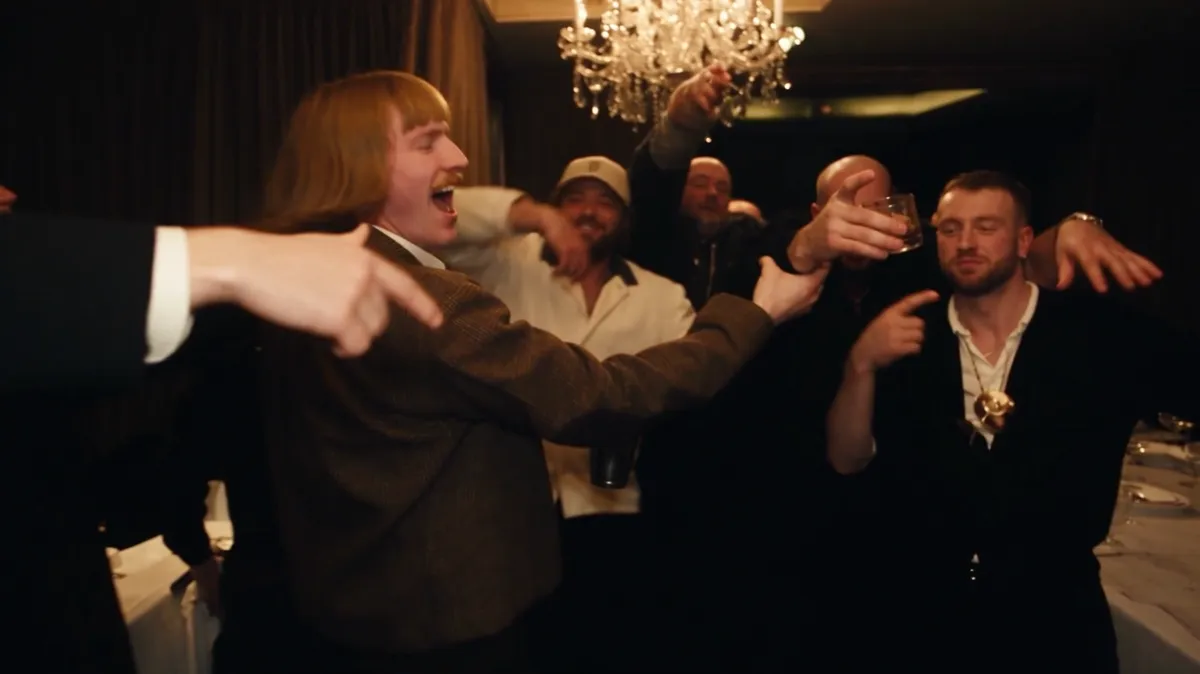
If you only want the Burning Bridges trend, a single-purpose generator is the simpler route. Burning Bridges AI needs one photo, no reference clip and no prompt, and costs a one-time $9.99 for a 15-second video, with no subscription. Higgsfield is a general AI video studio with many tools and models on a monthly plan; it can make this trend too, but you bring the reference clip, write the instructions and manage credits across a subscription.
How do the two compare?
| General AI video studio (e.g. Higgsfield) | Burning Bridges AI | |
|---|---|---|
| Built for | Many styles, models and effects | This one party scene |
| What you provide | A reference clip, character images, a prompt | One photo (plus up to 3 friend photos) |
| Prompt writing | Yes | No |
| Billing | Monthly plans with credits | One-time packs from $9.99, no subscription |
| Failed videos | Depends on the tool | Credits come back automatically |
| Output | Depends on settings | 16:9 MP4, 15 or 28 seconds, 480p or 720p |
| Best for | Creators making many kinds of videos | Making this trend fast |
Higgsfield's plans and credit costs changed several times in 2026, so check its pricing page for current numbers.
How do people make the trend on Higgsfield?
Most guides describe a motion-transfer tool. You upload a clip of the party scene as the reference, add an image of the person, and the tool rebuilds the scene with that person while keeping the moves. Higgsfield's newer Genjutsu tool works this way and accepts many reference images. Its older face swap guide says that with several faces in a clip, the swap usually targets only the face closest to the camera.
That route works, but you need to find and trim a reference clip, and video models often refuse clips that show real, recognizable people such as the artist in the original music video.
What does a single-purpose generator do differently?
It comes with the reference already built. We made a version of the party scene with fictional AI people, so nothing gets refused. The moves, timing and camera match the original clip. You upload your photo, pick a length and press generate. The instructions that keep your lip movements and gestures in sync are already written and tested.
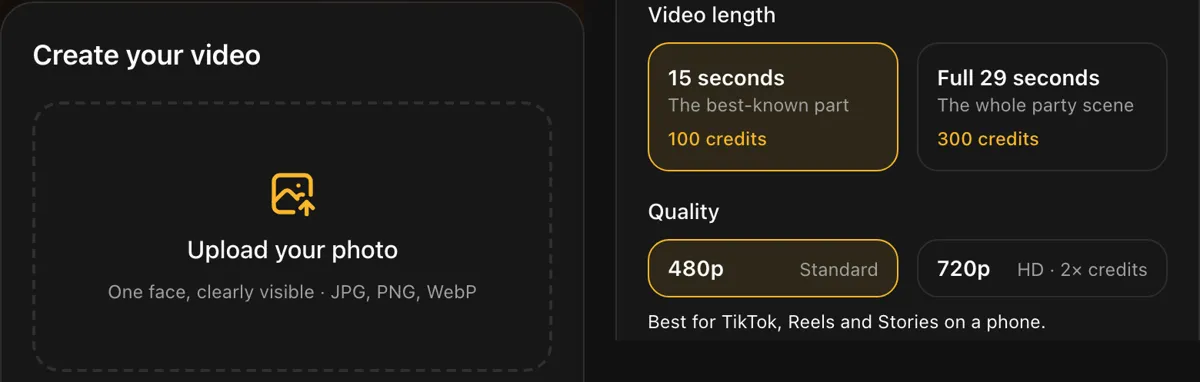 No prompt box and no reference upload: one photo, a length and a quality.
What does each cost for one video?
On Burning Bridges AI:
- 15 seconds at 480p: 100 credits, from the $9.99 pack
- Full 28 seconds at 480p: 300 credits, from the $19.99 pack
- 720p: 300 credits for 15 seconds, 600 for 28 seconds
- No subscription, and credits come back if a video fails
On a general studio, one clip can need several tries while you tune the prompt and reference, and each try uses credits. Plan for retries when you compare.
When is Higgsfield the better pick?
- You make many kinds of AI videos, not just this trend.
- You want a vertical 9:16 version or a custom scene.
- You already pay for a plan and have credits left.
When is a single-purpose generator the better pick?
- You want this trend and nothing else.
- You do not want a monthly subscription.
- You do not want to write prompts or hunt for a reference clip.
- You want friends in the crowd without setting it up yourself.
When is Burning Bridges AI a poor fit?
- You need it free. It starts at $9.99. See free options.
- You want a celebrity in the lead. Photos must show you or adults who said yes.
- You want a different dance or song. It makes this one scene.
FAQ
Is there a Higgsfield alternative for the Burning Bridges trend? Yes. Burning Bridges AI makes the trend from one photo, with no prompt and no subscription, from $9.99.
Do I need a subscription? No. Credit packs are one-time payments: $9.99 for 100 credits, $19.99 for 300, $49.99 for 1,000.
Do I need the original music video clip? No. The reference scene is built in.
Can I add friends? Yes, up to 3 friend photos, at no extra cost.
How long does it take? About 5 to 7 minutes for 15 seconds and 7 to 10 minutes for the full 28 seconds.
If you only remember one thing
A general AI studio can make anything with setup; a single-purpose generator makes this one trend from one photo with no setup.
Want the quick route? Start your video.
References
- Higgsfield pricing, Higgsfield. Current plans and credits.
- Higgsfield Genjutsu, Higgsfield. Motion transfer with reference images.
- AI Face Character Swap in Video and Photo: PRO Guide, Higgsfield. Notes on swaps with several faces.
- Higgsfield Recast, Higgsfield.
- Burning Bridges (Drake song), Wikipedia.
- How to make a Burning Bridges AI video, Burning Bridges AI.