Burning Bridges AI vs CapCut Template: Which Makes the Trend Video? (2026)
A CapCut template drops your photo into a pre-cut edit. An AI generator puts you inside the party scene, moving and lip syncing. What each one gives you, cost, time, and which to pick.
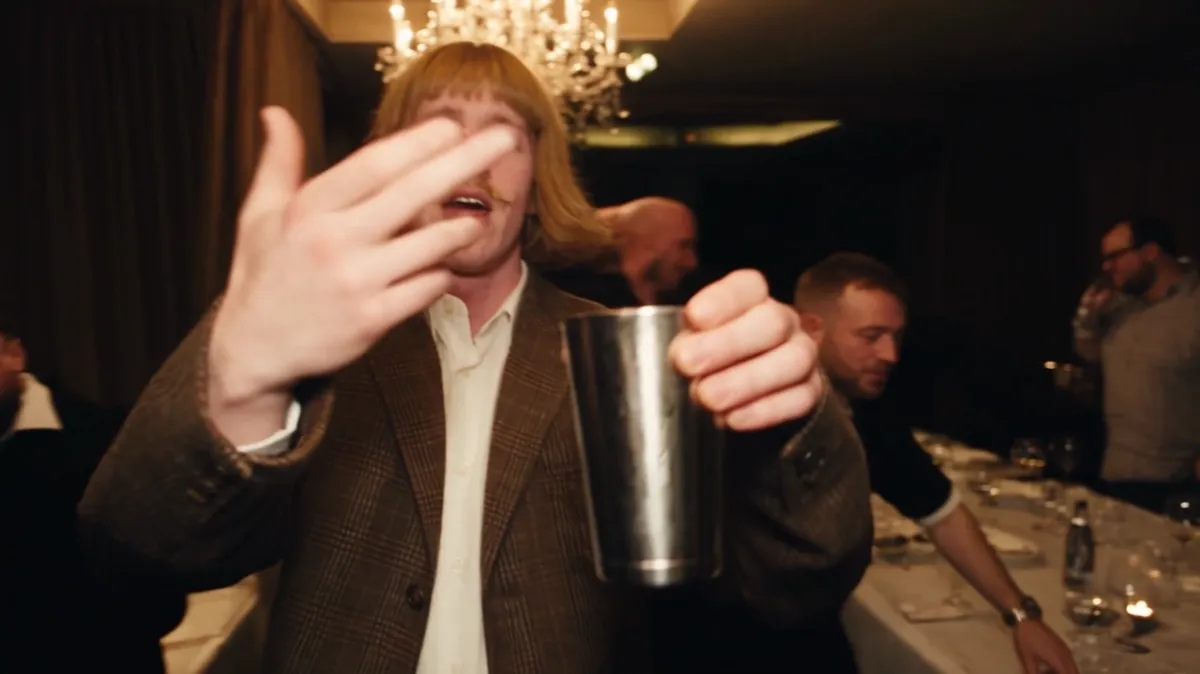
A CapCut template and an AI video generator make two different things. A CapCut template places your photo or clip into an edit someone already cut, so you appear as a still image or your own footage inside fixed slots. An AI generator such as Burning Bridges AI makes a new video where you are the person in the party scene: walking in, raising the silver cup to the camera and mouthing the lyric, from one photo. The template is usually free and quick. The AI video costs from $9.99 and takes 5 to 10 minutes.
What is the difference in one table?
| CapCut template | Burning Bridges AI | |
|---|---|---|
| What you upload | Photos or clips into fixed slots | One photo of you, up to 3 friend photos |
| What you get | Your photos inside a pre-made edit | A new video of you in the party scene |
| Do you move and lip sync? | Only if your own clip already does | Yes, the AI copies the original moves and mouth shapes |
| The room and crowd | Whatever the template shows | The chandelier party scene, 16:9 |
| Length | Set by the template | 15 seconds or the full 28 seconds |
| Cost | Often free in the app | 100 credits ($9.99 pack) for 15 seconds at 480p |
| Time | A minute or two | 5 to 7 minutes for 15 seconds, 7 to 10 for 28 |
| Sound | Can come with the template | Preview has the original audio; the download is silent so you add the sound on TikTok or Instagram |
How does a CapCut template work?
You open a template, often from the CapCut · Try this template link under a TikTok video, and the app shows numbered slots such as "add photo 1". You fill each slot from your camera roll, and CapCut cuts and times them to the template's beat. You can crop or swap a photo, then export to TikTok.
The result is an edit of your own material. If you add a selfie, the selfie appears in the video. It does not turn into you dancing in a chandelier room.
How does an AI generator make the trend video?
The generator holds a reference version of the party scene with the moves, timing and handheld camera already set. You upload one clear photo, and the AI swaps you into the lead. It keeps the original movements, the hand on the collar, the cup to the camera and the mouth shapes, and builds the scene around you.
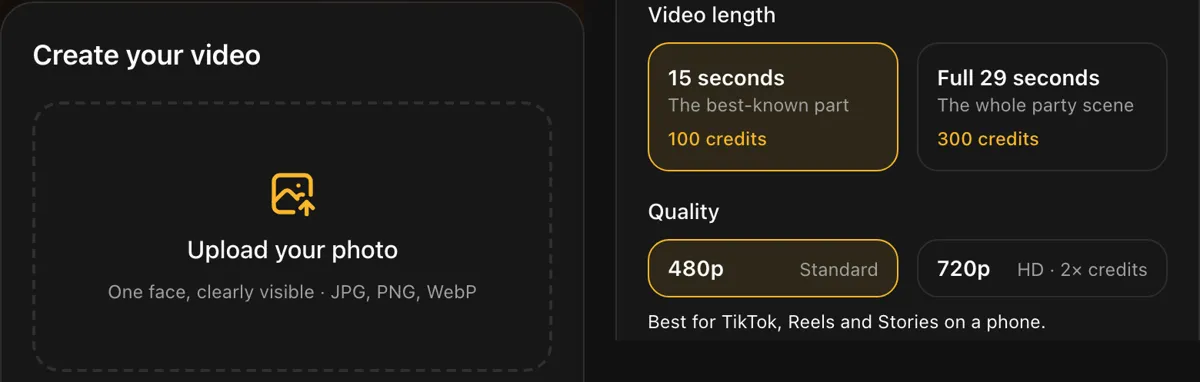 The generator panel: one photo, a length, a quality. Friends go under More options.
 Three AI videos frozen at the same second. The moves and camera stay the same; only the person changes.
Which one looks like the trend?
The posts that went viral show a new person inside the party scene, moving like the original. That is the AI version. A photo slideshow over the song reads as a tribute edit, not the trend itself. Viewers recognize the trend by the walk-in, the close-up and the cup to the camera, and only the AI route recreates those with you in them.
When is a CapCut template the better pick?
Pick a CapCut template when:
- you want it free and in two minutes.
- you already have your own party clips and want them cut to the beat.
- you want text, stickers or effects layered over your footage.
When is the AI generator the better pick?
Pick an AI generator when:
- you want to be the person in the scene, not a photo inside an edit.
- you only have one good photo and no video of yourself.
- you want friends in the crowd next to you, up to 3 on Burning Bridges AI.
When is the AI generator a poor fit?
- You need it free. Burning Bridges AI starts at $9.99 for 100 credits. See Is there a free Burning Bridges AI video generator?
- You only have group photos. The lead photo needs one face. A group photo stops before it starts and the credits come back.
- You want a vertical 9:16 video. The scene is landscape 16:9 like the original clip.
Can I use both?
Yes. Make the AI video, download the MP4, then open it in CapCut to add text or trim it. Add the Burning Bridges sound in TikTok or Instagram when you post, since the download is silent. See How to add the Burning Bridges sound on TikTok and Instagram.
FAQ
Is there a CapCut template for the Burning Bridges trend? Trend templates come and go in CapCut. A template places your photos into a pre-cut edit; it does not make you perform the scene.
Is the AI version better than a CapCut template? For the trend look, yes: it puts you inside the party scene with the original moves. For free, quick edits of your own clips, a template is better.
How much does the AI version cost? 100 credits for 15 seconds at 480p. Packs start at $9.99 for 100 credits, with no subscription.
How long does the AI version take? About 5 to 7 minutes for 15 seconds and 7 to 10 minutes for the full 28 seconds.
Do I need a video of myself for the AI version? No. One clear photo of your face is enough.
If you only remember one thing
A CapCut template edits your photos; an AI generator puts you inside the scene. If you want the trend look, use the AI.
Try it with one photo: start your video.
References
- What is CapCut?, CapCut. The editor and its template library.
- New labels for disclosing AI-generated content, TikTok Newsroom.
- Disclosing use of GenAI content, YouTube Help.
- Labeling AI-Generated Images on Facebook, Instagram and Threads, Meta.
- Burning Bridges (Drake song), Wikipedia.
- The Burning Bridges AI trend explained, Burning Bridges AI.