Burning Bridges AI Features: No Prompt, Matched Lip Sync, Up to 3 Friends, 15 or 28 Seconds
What you get with Burning Bridges AI. One photo and no prompt, moves and lip sync that follow the original party scene, up to 3 friends at no extra cost, 15 or the full 28 seconds, and one-time credit packs with no subscription.
Quick answer
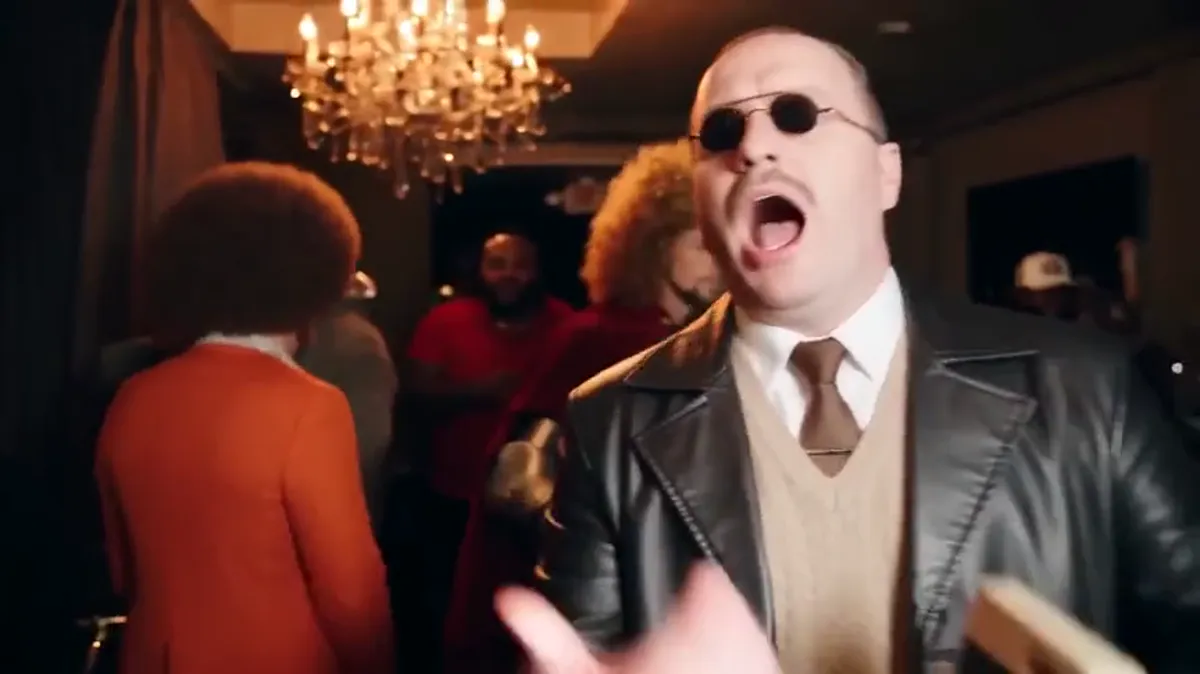
Burning Bridges AI is built for one video only: you in the party scene from Drake's Burning Bridges music video. Upload one photo and press generate. You do not write a prompt or upload a reference clip. Your video keeps the moves, the camera and the lip sync of the original scene. You can add up to 3 friends to the crowd at no extra cost, and choose 15 seconds or the full 28. You pay once for a credit pack from $9.99, with no subscription.
1. The simplest way to make it: one photo, no prompt
The whole setup is three choices:
- Upload one clear photo of the lead.
- Pick 15 or 28 seconds, and 480p or 720p.
- Press generate.
You do not write a prompt, find a reference clip, learn an editing app or set up a model. You also do not need to create an account first. Your email at checkout is how you find your videos again on another device.
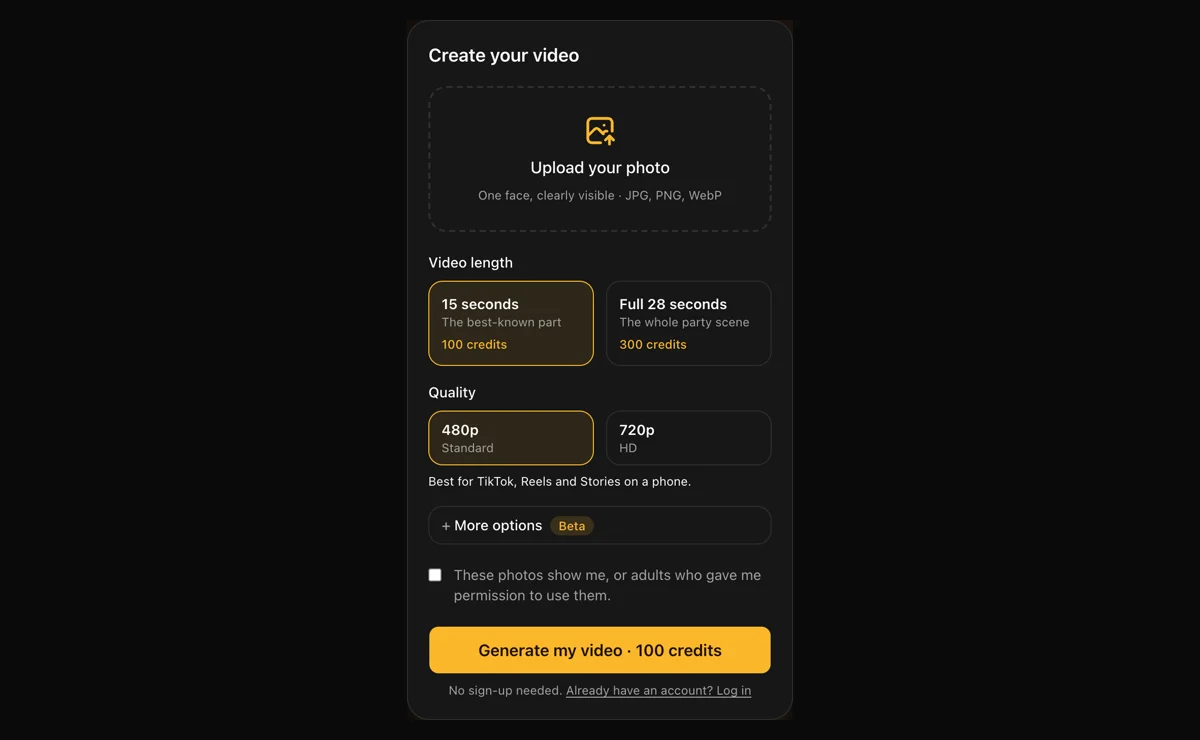 Everything you set before you press generate. Friends and a room photo are under More options.
General AI video studios can make this trend too. There you bring the reference clip, write the instructions and fix them by trial. Each failed try costs credits. We did that work once, so you skip it.
2. Moves and lip sync that follow the original scene
The trend works because everyone recognizes the moves: the walk-in, the close-up, the hand toward the camera, the cup, the hand on the collar. If those drift, the video stops looking like the trend.
So every video starts from the same rebuilt party scene, with the same room, camera path and timing as the music video clip. Our instructions tell the model to copy the lead's lip movements frame by frame, along with the expressions, gestures and timing. We tested what happens without that line: the mouth drifts off the beat.
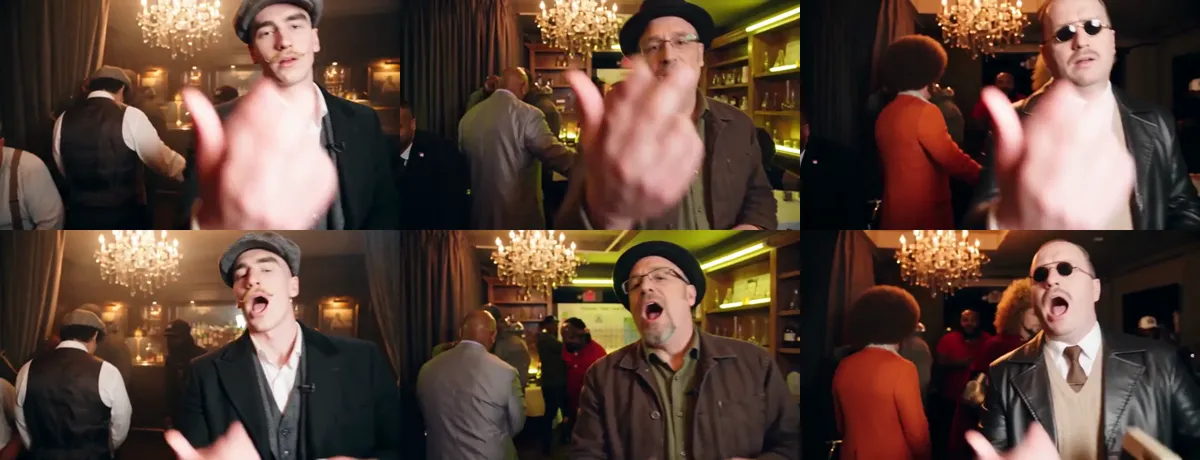 Three videos from three different photos, paused at the same second. Top: 2.8 seconds, the hand toward the camera. Bottom: 3.4 seconds, the same mouth shape on the same beat. Every person here is AI-generated.
The file is 16:9 landscape, the same shape as the original clip. Some tools build a new AI party in a different room with different moves. Ours keeps the scene people know.
3. Bring up to 3 friends, at no extra cost
The trend is a party, so you can bring your people. Add up to 3 friend photos under More options. Each friend replaces one of the guests who stays closest to you on camera:
- Friend 1 replaces the man in the black beanie, on the left of the frame for most of the clip.
- Friend 2 replaces the bearded man in the cream cap, on the right, often next to you.
- Friend 3 replaces the short-haired man in a black jacket with a gold medallion, on the right.
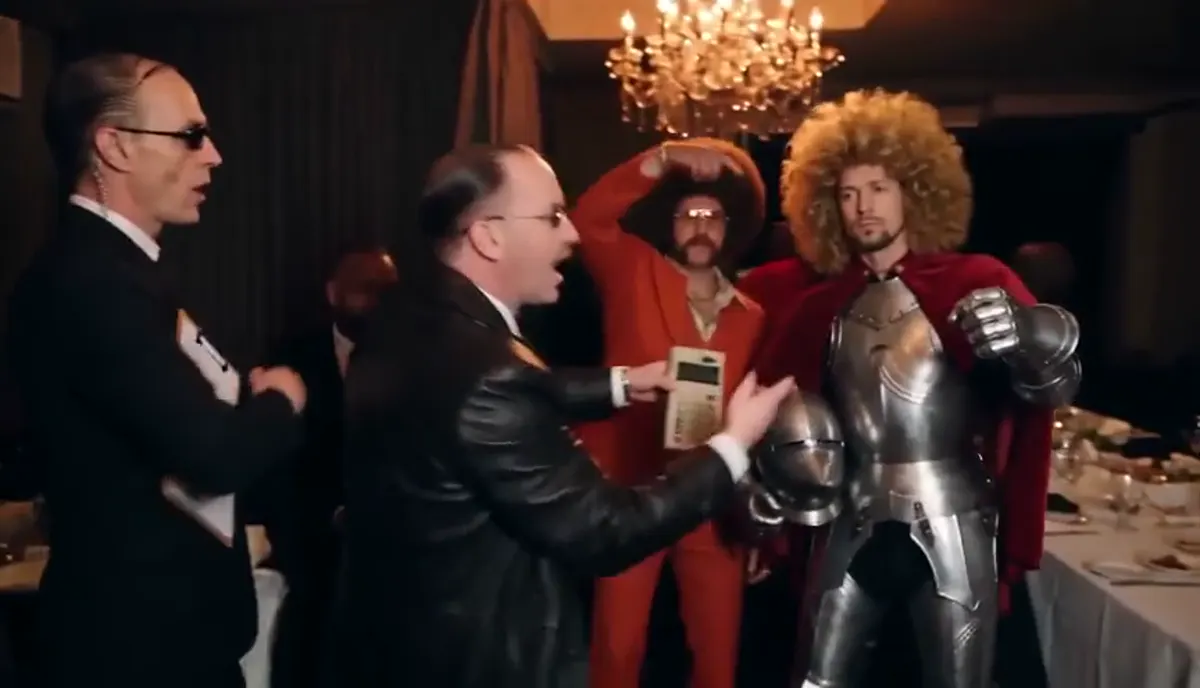 A lead and three friends, each from one photo.
Friends do not change the price. The limit is 3 because we tested more: with four or five friends, the AI often dropped a person or merged two lookalikes. The lead looks the most like their photo. Friends look similar, not identical, and one may not appear if the photo is blurry, far away or a group shot. More in Burning Bridges AI with friends.
4. Choose the length and quality that fit
| Video | 480p | 720p |
|---|---|---|
| 15 seconds, the best-known part | 100 credits | 300 credits |
| Full 28 seconds, the whole party | 300 credits | 600 credits |
The 15-second cut is the part most people post. The full 28 seconds runs the whole party scene. 480p looks good on a phone, and 720p holds up better on a bigger screen. A 15-second video is usually ready in 5 to 7 minutes, the full 28 seconds in 7 to 10. You can leave the page while it renders and find the video in My videos.
You can also add a photo of a place, such as your office or a bar, and the party room is restyled to match it at no extra cost.
5. Pay once for credits, no subscription
| Pack | Price | Enough for |
|---|---|---|
| 100 credits | $9.99 | One 15-second video at 480p |
| 300 credits | $19.99 | One full 28-second video at 480p, or three 15-second ones |
| 1,000 credits | $49.99 | Ten 15-second videos at 480p, or a mix |
Each pack is a one-time payment. There is no monthly plan to cancel, and credits do not expire, so leftover credits wait for your next video.
6. You do not pay for a video that fails
Very narrow or very wide photos are padded automatically. Before the AI runs, our system checks every photo. If the lead photo shows more than one face, or a photo shows a child or explicit content, the video stops and the credits come back. If a generation fails on our side, the credits return to your account automatically.
7. Preview with the song, post with the official sound
The preview plays with the Burning Bridges song, so you can check the timing. The download is a silent MP4. When you post, add the Burning Bridges sound from the TikTok or Instagram music library. That also puts your video on the trend's sound page, where people browse it. Steps are in How to add the Burning Bridges sound.
Your photos stay private
Your photo is used only to make your video. It is not used to train AI models, not sold, not shared and not published. Your video stays in your account for 30 days so you can download it. Upload only yourself or adults who agreed to be in the video.
When is Burning Bridges AI a poor fit?
- You need a vertical 9:16 file or 1080p. We make 16:9 up to 720p, the shape of the original scene. A general studio such as Higgsfield offers higher resolutions.
- You want different moves or a different song. We only make this one scene.
- You want a celebrity's face. We only accept photos of you or adults who agreed.
- You only want to try it for free. See the free options and what they cost in time.
FAQ
Do I need to write a prompt? No. Upload a photo, pick a length and press generate.
Does the lip sync match the original? The lead copies the original lip movements, expressions and gestures with the same timing. The lead's face comes from your photo, and AI results vary a little between runs.
How many friends can I add? Up to 3, at no extra cost.
How long is the video? 15 seconds or the full 28 seconds, in 16:9 landscape.
Do I need a subscription? No. Packs are one-time payments: $9.99 for 100 credits, $19.99 for 300 and $49.99 for 1,000. Credits do not expire.
What if the video fails? The credits come back to your account automatically.
If you only remember one thing
One photo, no prompt, the original moves and lip sync, up to 3 friends, 15 or 28 seconds, and one payment with no subscription.
Make your Burning Bridges AI video
References
- Best Burning Bridges AI video generator, Burning Bridges AI. How other tools compare on friends, length and price.
- Burning Bridges AI with friends, Burning Bridges AI.
- How to make a Burning Bridges AI video, Burning Bridges AI.
- Burning Bridges AI photo rules, Burning Bridges AI.
- Burning Bridges (Drake song), Wikipedia.
- Refund policy and terms of service, Burning Bridges AI.